
How to Search Criminal Dockets
Begin with the North Carolina eCourts Portal. Its Smart Search tool pulls up a public Case Summary, or Register of Actions. The summary covers eligible Graham County criminal cases. Type in an indexed party name or a known case number. Narrow a crowded result with the Criminal Actions category and the status filters. One thing to remember: Portal is a statewide system, not a county-run criminal database. Registration is not required for ordinary public information.
Do not assume the first result is current. Case Events lay out the dated sequence. The Hearings area and the Search Hearings tool show the present court setting. Older cases, paper files, restricted matters, and official copies all point to one place. That place is the Graham County Clerk of Superior Court. The Graham local schedules page adds links to District Court schedules and separate criminal calendars.
- Open Portal Smart Search and enter a case number or party-oriented search term.
- Limit the result, when useful, to Graham County, Criminal Actions, and a relevant status.
- Open the matching Case Summary and confirm its case number, assignment, and status.
- Review the most recent Case Events and the Hearings area, then compare a current setting in Search Hearings.
- Contact the Clerk for a paper file, public terminal, copy request, or confirmation of the official record.
Graham County Criminal Docket Portal
Think of a Smart Search result as a route into a case. It is not the last word. Case Information and Assignment Information tell you what the matter is and where it sits. Party Information comes next. Victims are left out of public results. Case Events are the dated actions you would put on a docket. Dispositions, Hearings, and Financial Information show up only when the case actually has them. Registering lets you save public cases to a personal list. For simply viewing a public Graham criminal case summary, no account is required.
The Graham County local rules and forms page posts links for the 43rd Prosecutorial District criminal docketing plan. You will also find criminal procedure, bail, pretrial policy, and continuances there. Handy context, in other words. The case entry itself still controls a given date. So does any court order.
The official Graham criminal rules and docketing resources lay out those procedures in full.
These local materials work beside the Portal case summary, not in place of it. A Graham County criminal docket search still runs through both.
What a Criminal Docket Shows
A criminal Case Summary can show the case number, current status, assignment information, non-victim parties, dated events, dispositions, hearings, and financial information. The training material offers 01CR123456-100 purely as a format example. It is not a Graham County case number. Search a known number precisely. Or use a wildcard only after at least four known characters.
| Case Information | Identifies the case number, category, status, and core case details. |
|---|---|
| Assignment Information | Shows the court or assignment context available for that criminal matter. |
| Case Events | Lists dated docketable actions in sequence, including filings and setting-related events. |
| Hearings | Shows hearing information when recorded; Search Hearings is the separate current-calendar check. |
| Disposition and Financial Information | Shows information only when present and should be read with the later events and Clerk record. |
Portal calls its results near real time. Even so, Portal is not the official court record. A document image and a docket event are different things. When a certified copy is needed, the clerk is the route.
Graham County Criminal Dockets Need Names
A charge name is not a Portal search field. The official guidance is blunt: Portal does not support charge-based searching. Typing alleged-offense text will not reliably surface a Graham County criminal docket. Use the indexed party name or a known case number instead. Then lean on Smart Search's location, category, status, and date filters to trim a broad result.
Names deserve a second, careful try. Portal guidance wants a last-name, first-name pattern. Wildcards are allowed only after at least three surname characters and at least one first-name character. Start exact, then broaden. A missing result can stem from spelling, name order, a compound name, case format, processing lag, or access limits. It does not prove a case was never filed or ended a particular way.
Practical point: When the concern is a current setting rather than a case history, Search Hearings can search by case number, party, attorney, judicial officer, or courtroom.
Stages on a Criminal Docket
A Graham County criminal docket typically moves from filing to arraignment or first appearance, then pretrial settings, then a plea or trial, disposition, and sentencing where applicable. Each stage can generate several Case Events. An arraignment handles early matters like charges, counsel, release conditions, and pleas. Pretrial settings are case-management work before trial. Neither label alone settles the final result.
Docket flow: Filing → Arraignment → Pretrial → Plea or Trial → Disposition → Sentencing
Read an old entry with care. Check its date against later events and the hearing record before drawing conclusions. More administrative or post-disposition activity can follow a disposition. The Judicial Branch criminal-case overview walks through the state court stages. It helps you place a Graham County entry in context.
The official North Carolina criminal-cases explanation describes those stages in plain terms.
The state court-stage description helps separate the full sequence in a Graham County criminal docket from what a single event label actually says. Context does the work.
Graham County Criminal Docket Event Labels
Portal event labels need context. Per the official FAQ, the Register of Actions can record warrant, order-for-arrest, or criminal-summons events such as issue, return served or unserved, reset to unserved, and recall. These labels describe process activity only. They do not settle every question, name a final outcome, or stand in for the order itself.
- Pending
- No final disposition is shown in the status. Review the recent events and hearings.
- Unserved
- A service-related event or status indicator, not a decision on the merits.
- Transferred to Superior Court
- A movement marker from a lower stage or court context to Superior Court.
- Trial De Novo
- A new Superior Court trial route after a District Court criminal appeal, not simply review of a transcript.
- Reopened
- A label showing later activity after an earlier stage or disposition.
A cryptic label on a Graham County criminal docket rarely tells the whole story on its own. Check the entry's date, the related Case Events, and the most recent hearing before you decide what it means. The Clerk can point you to the public record, though staff cannot give legal advice on an entry's effect.
Which Court Holds Criminal Dockets
Graham County runs its criminal dockets through two courts. District Court, District 43, takes the misdemeanors and infractions. Superior Court, District 43A, handles the felony trials. A felony case can still generate early District Court activity before it moves up. One office keeps the records for both: the unified Graham County Clerk of Superior Court maintains court files and docket records across these divisions, so you never have to guess which criminal clerk holds the file.
The split does shape how you read a calendar. The Portal and the Clerk serve the whole local system, so the court level, assignment, and next hearing tell you which docket you are actually viewing. Magistrates sit in District Court. For a preliminary or magistrate matter, the published Graham Magistrates number is (828) 479-7019, and the main Clerk and courthouse number is (828) 479-7000. The official District Court jurisdiction page sets out what that level of court covers.
District Court jurisdiction is why so many Graham County misdemeanor and infraction entries sit in a different court setting from felony trials. The court level, not the county, is what separates the two criminal dockets.
Graham County Criminal Docket Calendar Checks
Start with the case, not the calendar. Pull the Case Summary and run Search Hearings for current case-specific information. Then check Graham County's criminal calendar links and the District Court schedule for session-level context. Search Hearings gives you a time and place. It will not say whether the setting is virtual or in person. A calendar PDF can also change after it posts. When something looks off, confirm with the court or the Clerk. Never trust a broad schedule over a docket entry.
The local rules page links the 43rd Prosecutorial District Criminal Case Docketing Plan. Current administrative schedule material sits there too. That is where the county's published procedural documents live. A title alone proves nothing about deadlines or motion rules. A later court order and the current case entry control what happens in the particular case. The official county criminal and infraction activity report collection adds county-level numbers to that picture.
That report collection gives county-wide context. For one Graham criminal docket, the Portal case summary and hearing results are still the route.
Public Access and Sealed Criminal Dockets
North Carolina law makes clerks keep court files, dockets, and indexes open to public inspection, except where a statute limits access. The Portal puts public Case Summary information online. It leaves out sealed, confidential, and restricted material. Juvenile records sit under their own confidentiality rules. Public results also exclude victims and mask birth dates. When the online record runs thin, a public terminal or a nonconfidential paper file at the clerk office is the practical next step for a Graham County court docket.
Access rules: N.C.G.S. § 7A-109 governs clerk-kept court files, dockets, indexes, and public inspection subject to legal limits.
N.C.G.S. § 132-6 addresses inspection and copies at reasonable times on payment of lawful fees.
N.C.G.S. § 7B-300 places juvenile records under separate confidentiality limits.
The source image is from the official juvenile-record confidentiality statute.
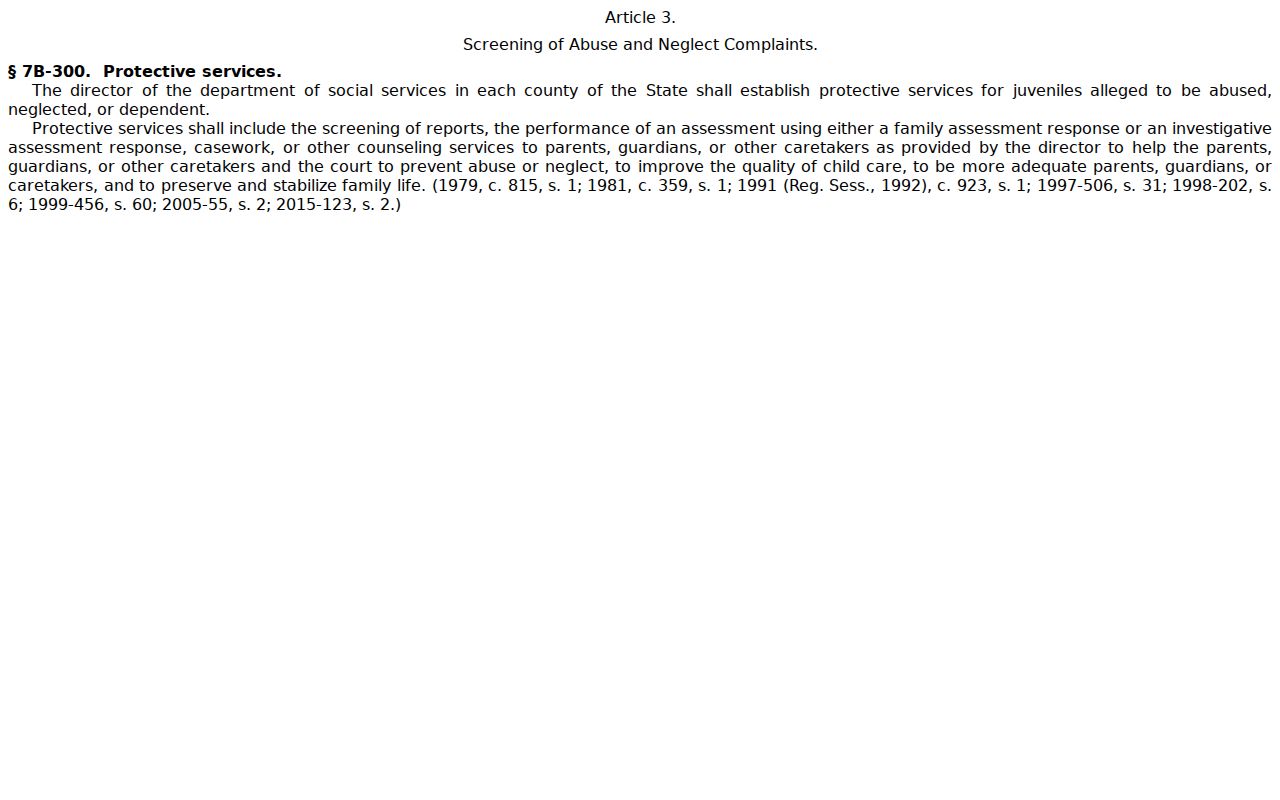
Confidential juvenile material is not an ordinary public Graham County criminal docket search route.
Graham County Criminal Docket Missing Results
When a search comes up empty, try again. Repeat the Portal search with the known spelling, the name order, the case number, and the filters. A case-number wildcard only works after four known characters. Consider too that the matter may be restricted or simply not processed yet. One quirk worth knowing: a converted pre-eCourts event can carry a 12:00 a.m. time from the conversion. That time means nothing as a hearing time.
Still nothing? Call or visit the Graham County Clerk of Superior Court at the courthouse, 12 Court Street in Robbinsville, or dial (828) 479-7000. Ask about the public terminal, a nonconfidential paper file, or a copy request in the county where the case was filed. The Clerk issues official and certified copies. For wider case lookup methods, the county case search reference covers them.
A missing Portal result can stem from formatting, processing, confidentiality, or expunction. It is never a case outcome.
Graham County Criminal Docket Privacy
Public criminal searching has real limits. Portal shows public parties but hides victims. It masks date-of-birth details and never validates Social Security numbers. Sealed, confidential, restricted, and juvenile matters behave nothing like an ordinary Graham County criminal docket search. A thin or missing result explains nothing about a case.
Before deciding an entry is unavailable, try the case number, the correct party name, and the Criminal Actions filters. A nonconfidential file or an access question may still need the Clerk's public terminal or counter. Staff can identify the public record route. They cannot give legal advice on the case.
Graham County Criminal Docketing Plan
Graham's local rules page publishes the 43rd Prosecutorial District Criminal Case Docketing Plan. It also covers criminal rules, a continuance policy, and administrative-schedule material. These documents add local context to the Portal record. A title does not lock in a deadline. It also sets no hearing sequence or outcome for every Graham County criminal docket.
Set the current Case Summary beside the latest schedule. Match it with the Search Hearings result and any court notice. The broad calendar helps with session planning. The case-specific history is the better clue to a single setting. If sources conflict or a date looks stale, confirm with the Graham Clerk.
Graham County Criminal Docket Copies
A public Case Summary can point to an event or outcome. It proves nothing about the entry itself. For a certified record, plain copy, or public filed document tied to a Graham County criminal disposition, go through the Clerk. Bring the case number and the copy type. Add the document or event you want and an approximate date. That lets staff scope the request on the spot.
Fees follow state statute. The first page of any document runs $2. Each additional page or fraction costs $0.25. A certificate under seal costs $3, while an exemplification is $10. Ask the Clerk to confirm the total and public availability before you order. The Portal, on its own, does not supply an official criminal record.